AI apps
NormAPI in Claude
Ask Claude whether an e-invoice is valid, what a received one says, or why a portal rejected it. Claude calls NormAPI for it, and NormAPI checks against the official KoSIT rules. With your NormAPI account, Claude also creates new XRechnung and ZUGFeRD invoices.
claude.ai and Claude Desktop, as a custom connector · Updated 27 October 2026 · rule set v2026-08-31
What you can do with it
Check
“Is this XRechnung valid?”
XRechnung in UBL or CII, ZUGFeRD and Factur-X PDFs. The verdict with the rule set version, every finding with its cause and fix.
no account
Read
“Who issued this invoice, and for how much?”
A received e-invoice as data: sender, recipient, lines, totals. Whatever was not carried over is named.
no account
Explain
“What does BR-DE-15 mean?”
Any rule by its code: what it requires, why it typically fires, how to fix it.
no account
Create
“Create an e-invoice to Beispiel Handel AG: three licences at €199 net each.”
An XRechnung or a ZUGFeRD PDF from your details, validated before it is returned. Claude shows the file to download.
NormAPI account
Connected in three steps
1Add the connector
In Claude, open Customize → Connectors, then Add → Add custom connector. Enter NormAPI as the name and this address, then Continue.
Address https://normapi.com/mcpIf your Claude belongs to an organisation, only its admins may be allowed to add connectors.
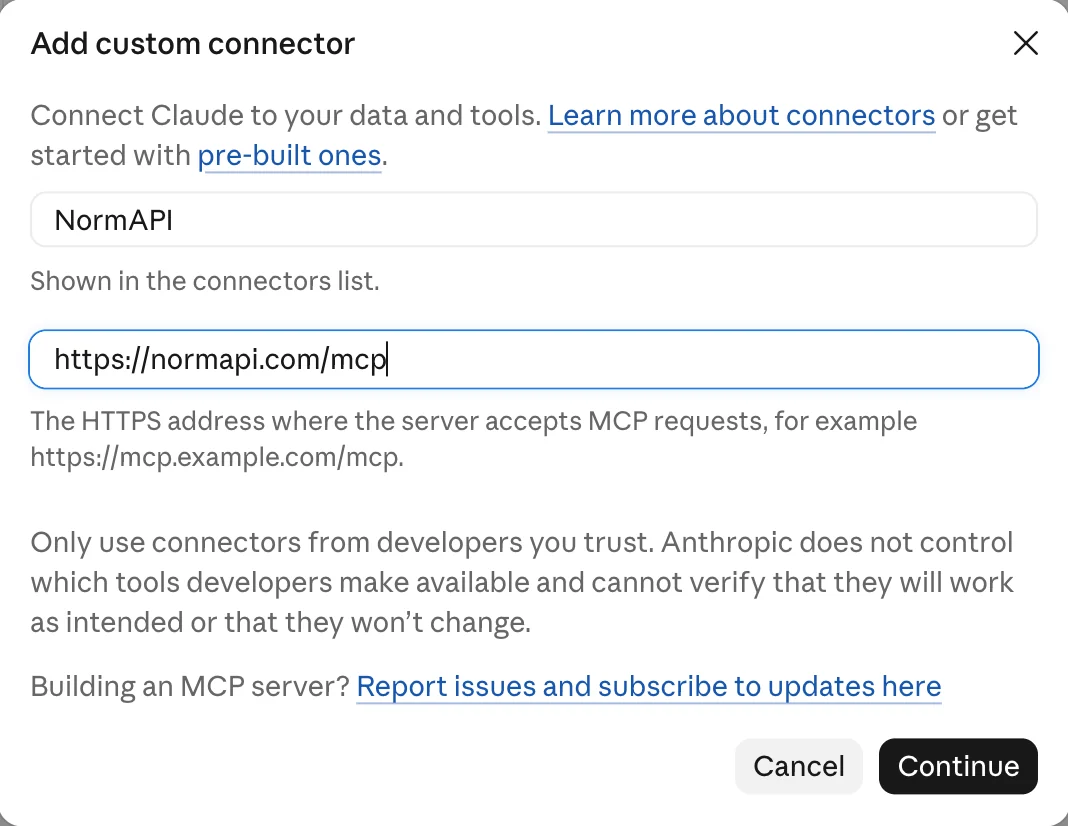
The dialog in Claude, filled in. 2Ask
Attach an XRechnung or a ZUGFeRD PDF and ask whether it is valid; with “with NormAPI” in the question, Claude is sure to use it. Before a call, Claude asks whether it may use NormAPI; after Always allow it no longer does.
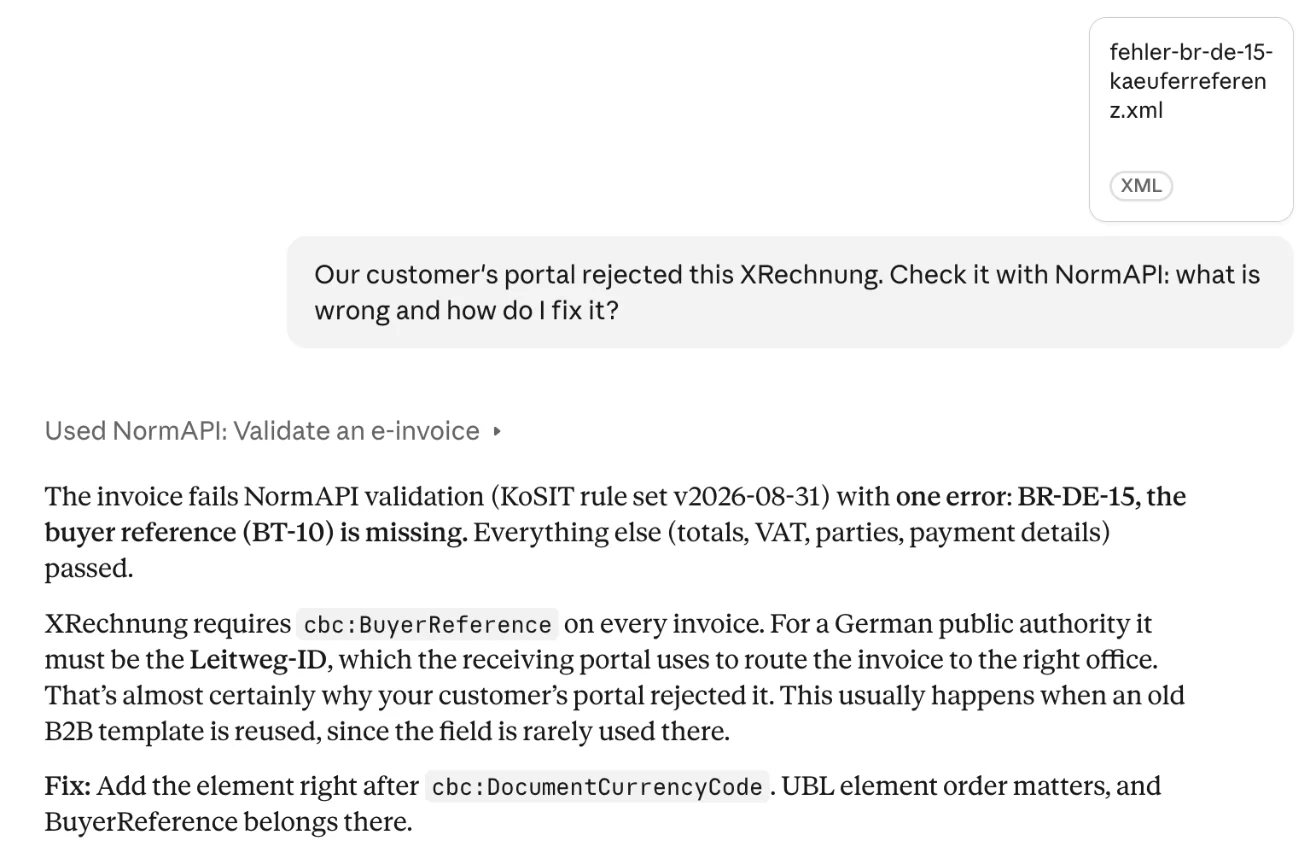
A sample invoice without a buyer reference: Claude names the rule, the cause and the fix. 3Sign in to create invoices
The first time Claude is to create an invoice, it takes you to NormAPI. Sign in there or create a free account, and allow the connection; the page says what Claude may do with it and what not. Checking, reading and explaining never need this step.
What needs an account
Checking, reading and explaining are free and need no sign-in. Only creating needs a NormAPI account: every invoice created counts against your monthly allowance, of which 50 a month are free. Data the rules do not permit is refused with the reasons, and not counted.
Your data
- Claude sends NormAPI the invoice you attach, or the details for a new one. NormAPI processes them in memory and stores no invoice.
- The connection gets an API key of its own, named after the app (mcp-claude-…). Disconnect it on your account overview under “Connected apps”, and Claude loses access at once.
- Technical validation, not tax or legal advice.
- What happens to your chat is up to Anthropic; what NormAPI receives and for how long is set out in our privacy policy.
For developers
Claude Code, Cursor, VS Code and every other MCP client use the same server, over OAuth or with your API key as a header, hosted or locally via npx.
It works without a chat too: the validator checks the same file in your browser.